How to link to your online store
This guide will assist you link your courses to your online store.This will help your customers find purchased and available courses
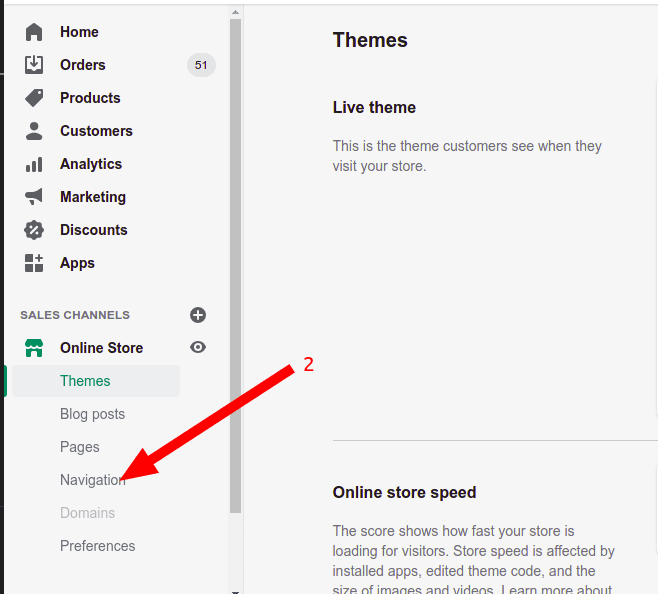
- Click
online storelink from admin page as shown below
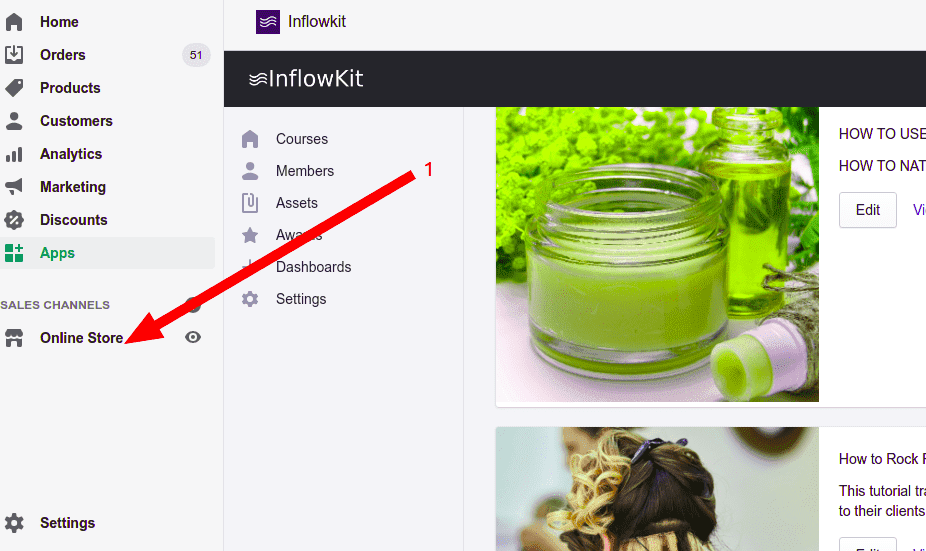
- Click
Navigationlink as shown below .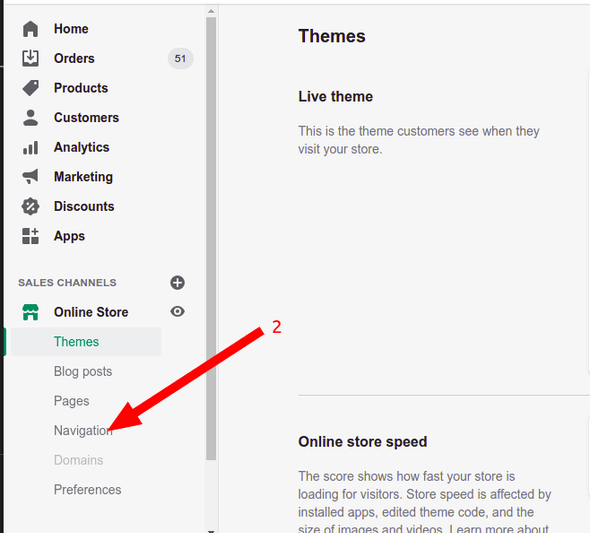
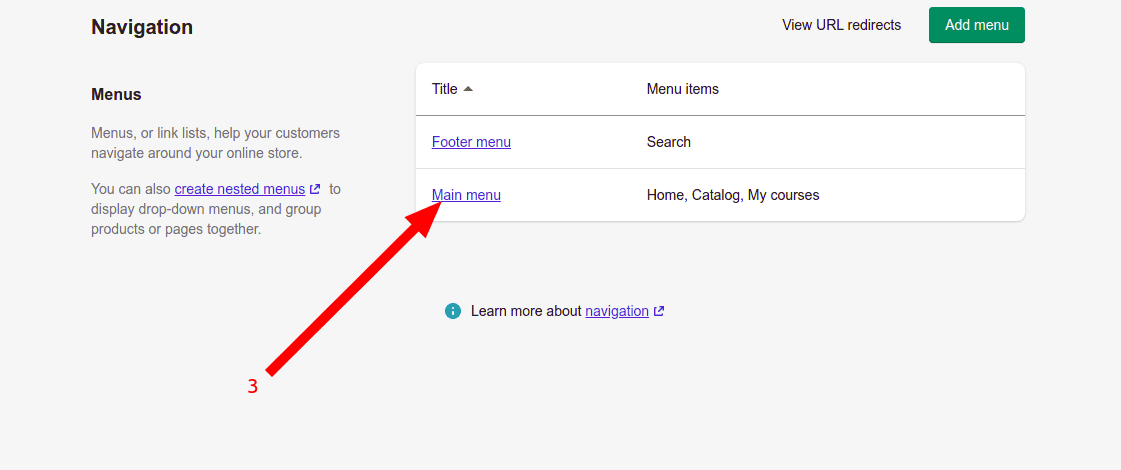
- Click
Main menu(Alternatively you can choose any other available menu)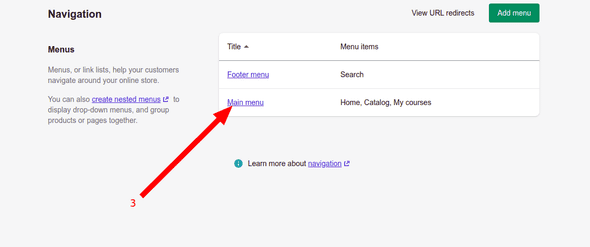
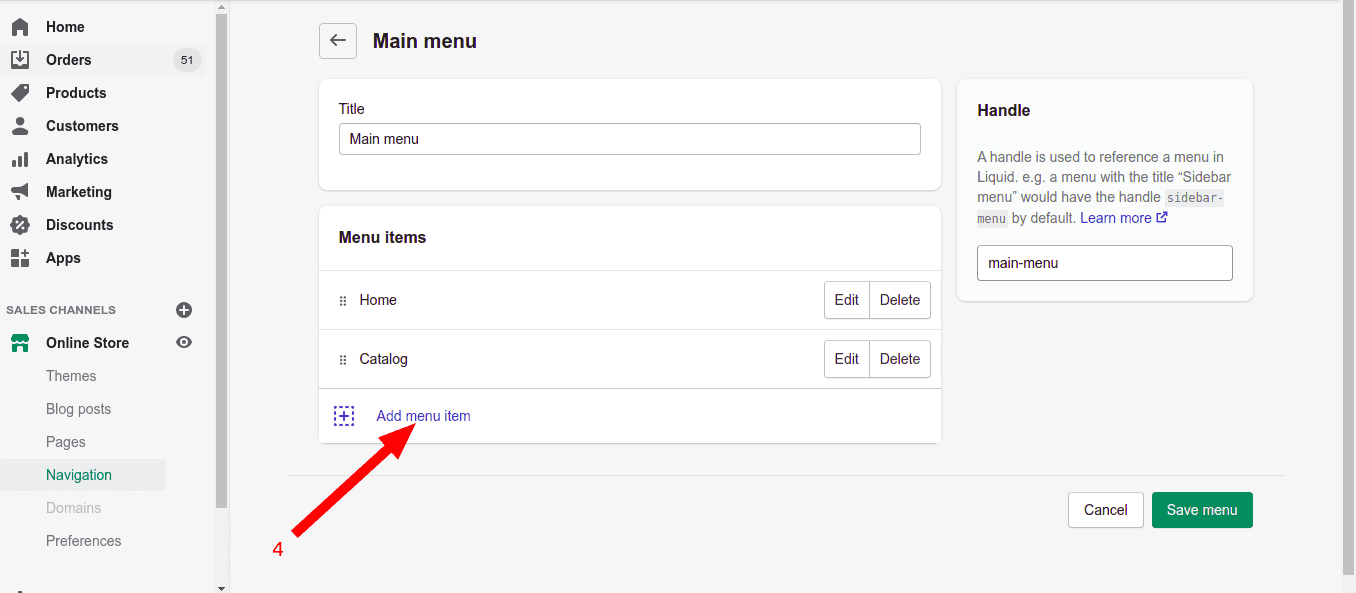
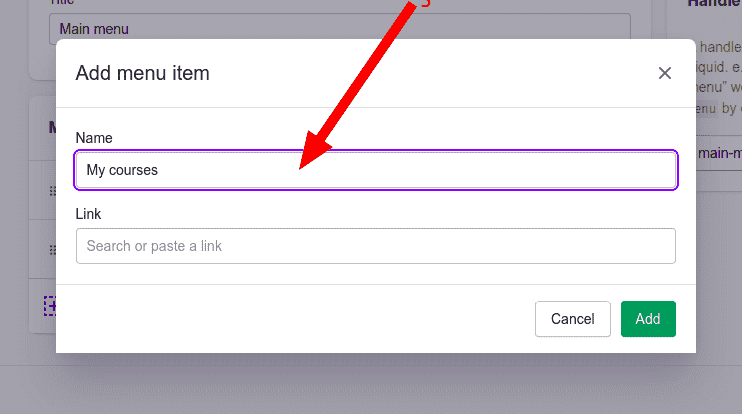
- Click add menu item link as shown below
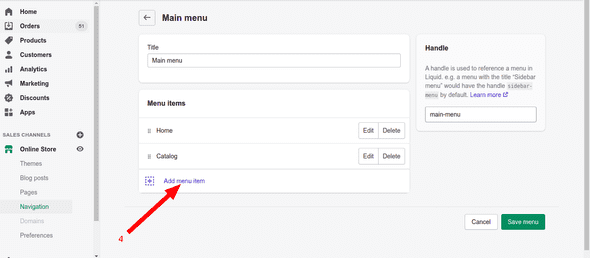
- Enter name as shown below (You can enter name that you prefer)
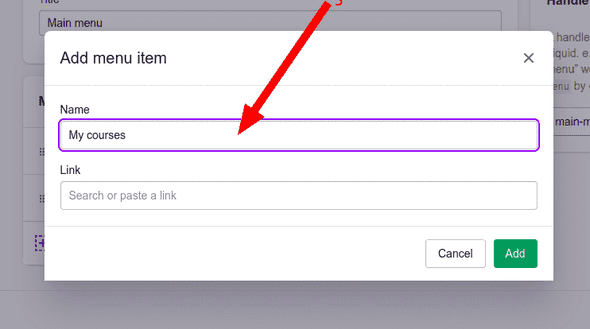
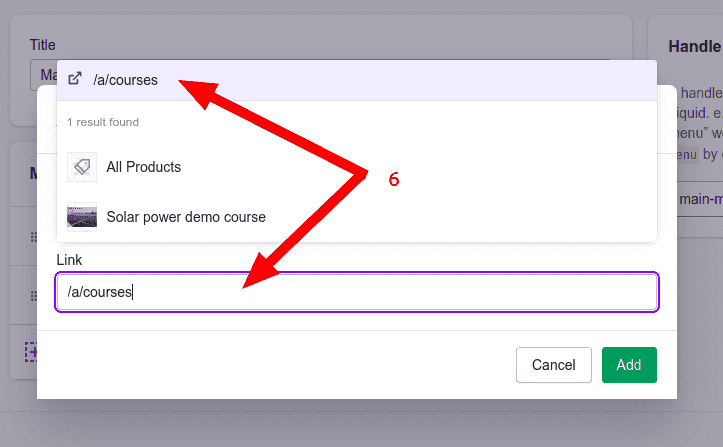
- Enter link as
/a/coursesas shown below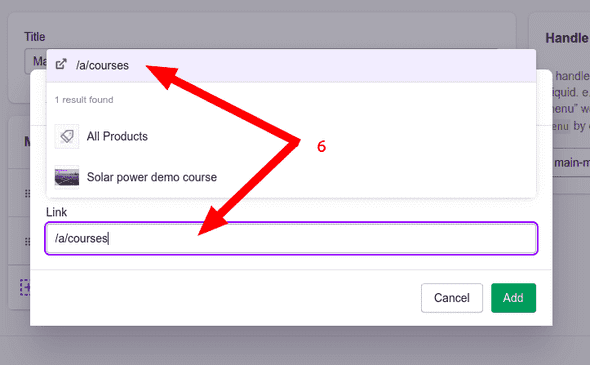
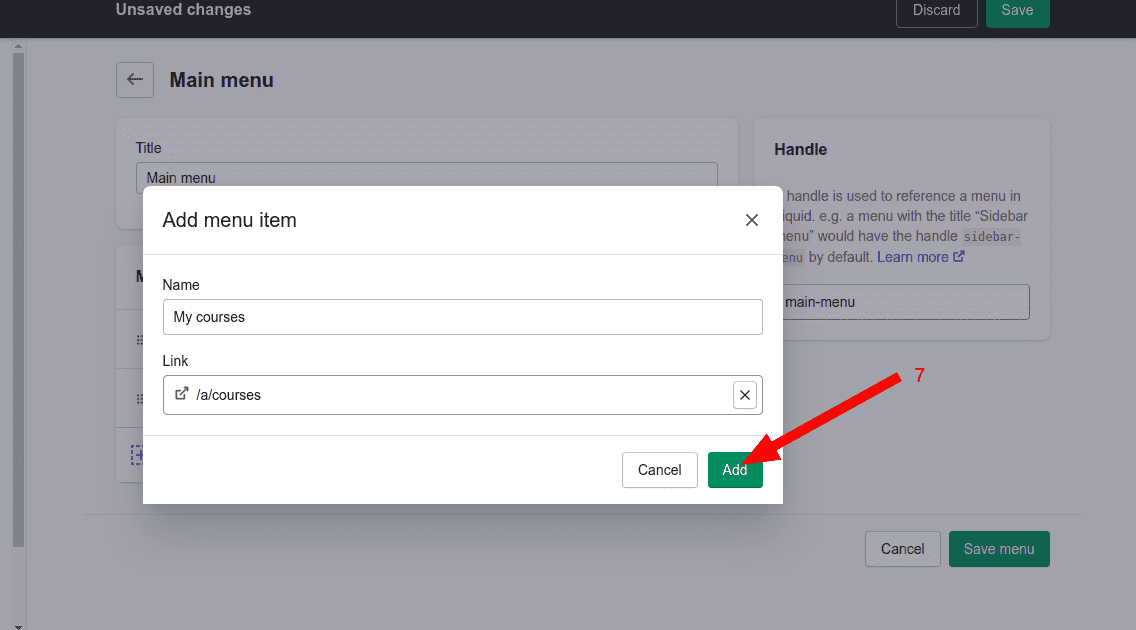
- Add the link by clicking
addbutton as shown below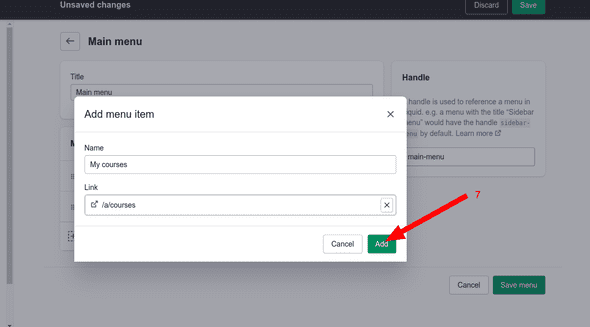
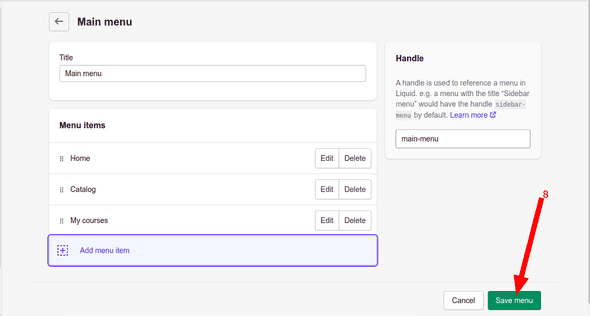
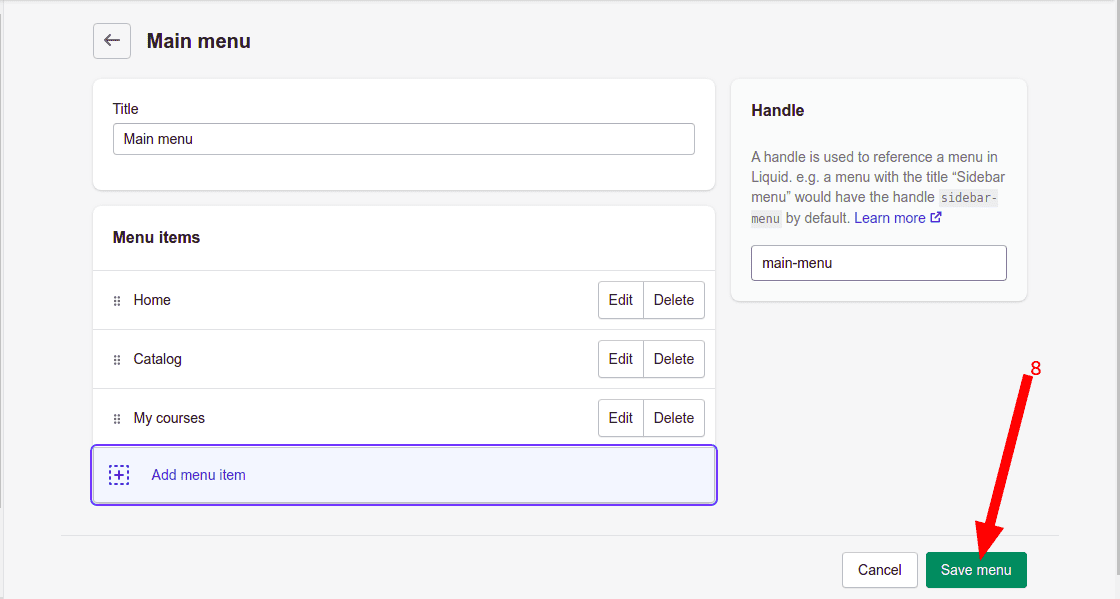
- Save the menu by clicking
Save menubutton as shown below